

Description
Publishio is AI publishing that follows your design system. Connect ChatGPT, Claude, or any Model Context Protocol (MCP) client directly to WordPress, then build pages and posts just by chatting. Landing pages and structured sections are assembled from your site’s own block patterns; post prose (paragraphs, headings, lists, quotes) uses native WordPress blocks styled by your theme — so the result matches your brand either way.
Publishio is not another AI writer, and it is not a page builder that reinvents your layout. It is a native MCP server for WordPress — the bridge between the AI you already use and your site. Because the AI works from the patterns your designers already approved and your theme’s own block styles, your layout, spacing, colours, and typography stay exactly as intended. That’s the difference between generic AI output and on-brand AI content that matches your design.
Everything runs on your own site. There’s no third-party service in the middle: your WordPress site exposes its own MCP endpoint, and ChatGPT or Claude connect straight to it over an authenticated connection you control. Editors and content teams can ship landing pages, blog posts, and campaign pages in minutes, in plain language, without touching the designer’s work or breaking the design system.
Watch the demo:
Features
- Follows your design system: Structured layouts are built from your site’s own block patterns, and prose uses native blocks styled by your theme — so content inherits your existing layout, spacing, and brand instead of generic markup.
- Connect ChatGPT, Claude, or any MCP client: A standard MCP server for WordPress that works with ChatGPT, Claude, and any tool that speaks the Model Context Protocol.
- Pattern auto-discovery: Automatically discovers every pattern registered on your site — from your theme, plugins, and core.
- Structured content generation: The AI builds pages with proper, Block Editor-compatible block structures — no messy HTML insertion.
- In-chat previews: Preview each section inside the AI chat before anything is published.
- SEO & metadata: Automatically adds metadata and SEO details (compatible with Yoast).
- Runs on your own site: A self-hosted MCP endpoint with OAuth — no third-party service in the middle.
- Theme agnostic: Works with any block-based / FSE theme.
AI Skill
This plugin includes a skill file that teaches AI assistants how to generate WordPress content correctly — using your site’s existing patterns, building pages incrementally, and following your design system rather than inventing markup.
The skill is served automatically to any connected AI assistant via MCP. Editors and content creators don’t need to configure anything — just connect your AI platform and start prompting.
To use the skill in Claude (claude.ai):
- Download the skill file
- Open Claude and go to Customize Skills Upload Skill
- Upload the downloaded file
- Start prompting Claude to build WordPress pages using your theme’s patterns
Requirements
WordPress
- WordPress 6.9 or higher
Themes
- Tested this plugin with Twenty Twenty-Five and Ollie.
- Compatible with any theme. For best results, ensure patterns have descriptive names and descriptions.
Why your theme’s patterns need proper names and descriptions
This plugin acts as a bridge between your WordPress theme and AI assistants. Here’s how it works:
- Pattern discovery — the plugin scans all patterns registered by your active theme via
WP_Block_Patterns_Registry. - Metadata sent to AI — each pattern’s
title,description,categories, andkeywordsare sent to the AI as structured data. The actual block markup is fetched separately, on demand. - AI selects a pattern — the AI reads the pattern metadata and decides which pattern best fits the user’s request.
- Content is filled — the AI hydrates the selected pattern with new content (headings, paragraphs, images, buttons).
- Preview and approve — the generated page is previewed in the AI chat before insertion.
When a pattern has no description (or a generic one), the AI has only the title to work with for matching. A title like “Hero Section” doesn’t tell the AI whether it’s a full-width hero, a split hero with an image, a centered hero with a CTA, or a hero with a background video. The AI must then fetch the full content of every pattern that matches a keyword — adding expensive round trips — just to understand what each one looks like.
What the AI sees:
- Patterns with rich metadata the AI matches confidently in one round trip.
- Patterns with no metadata the AI either skips them or fetches every candidate’s full content to reverse-engineer their purpose.
Bottom line: The more descriptive your pattern names and descriptions, the better the AI’s output. Theme authors should treat pattern metadata as documentation for AI — not just a label for the block inserter.
Documentation
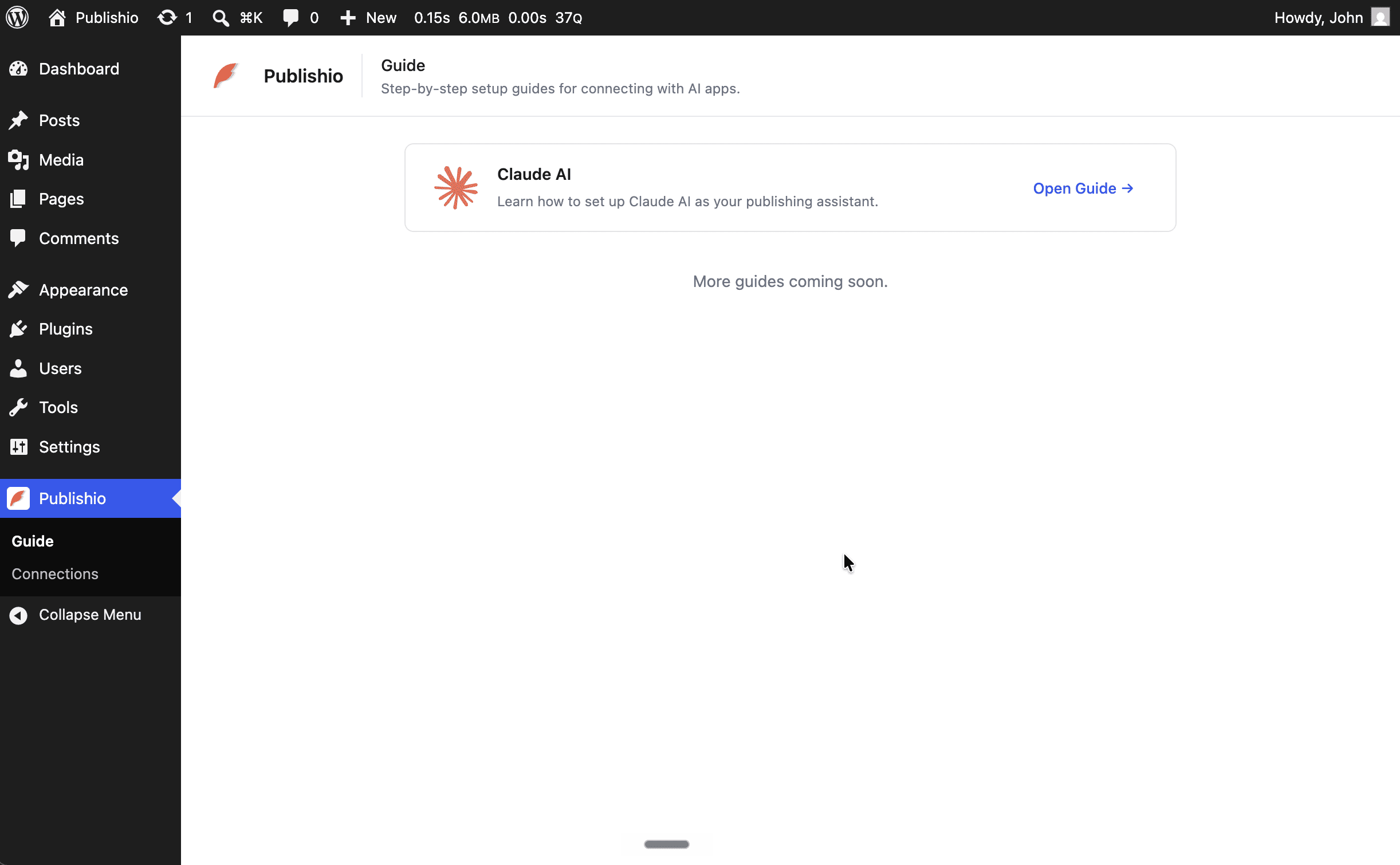
- Connection Guide — Open the Publishio page in your WordPress dashboard for the Claude and ChatGPT setup guides.
- Development Guide — Setup, commands, testing, and contribution.
- Contributing
- Code of Conduct
- Security
Source Code
The source code is available on GitHub.
Screenshots
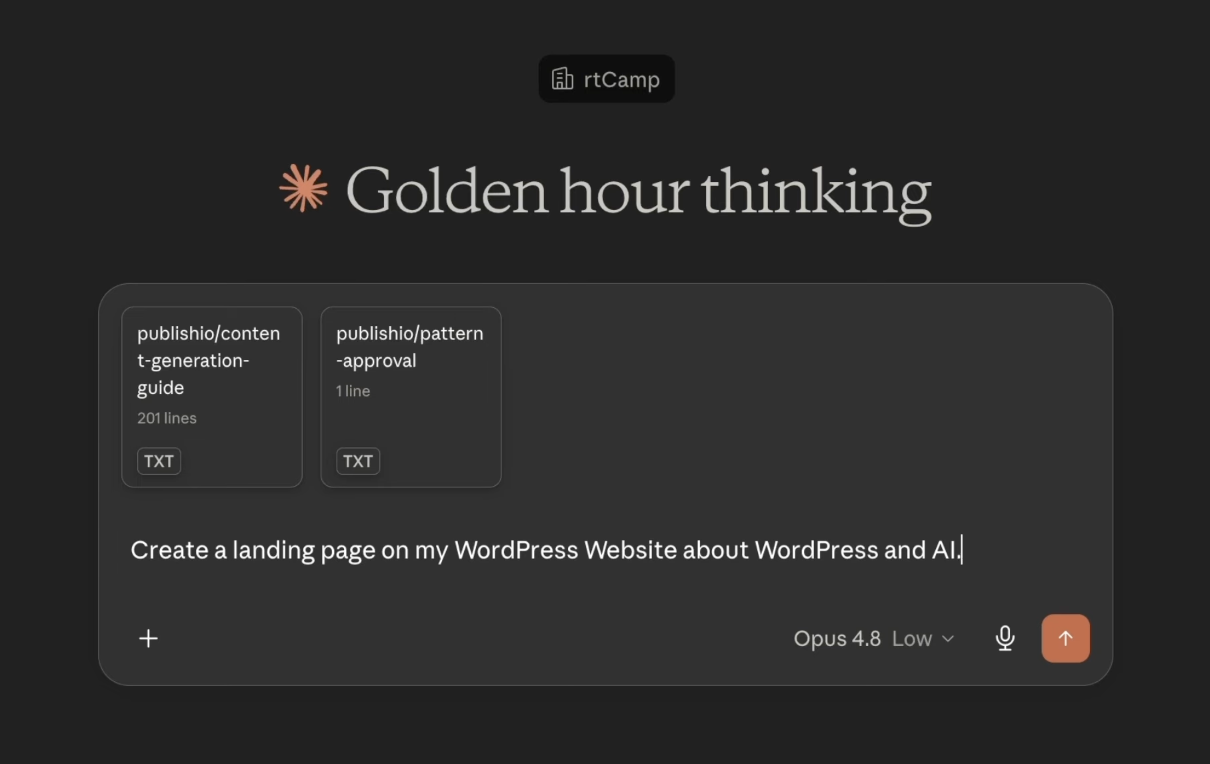
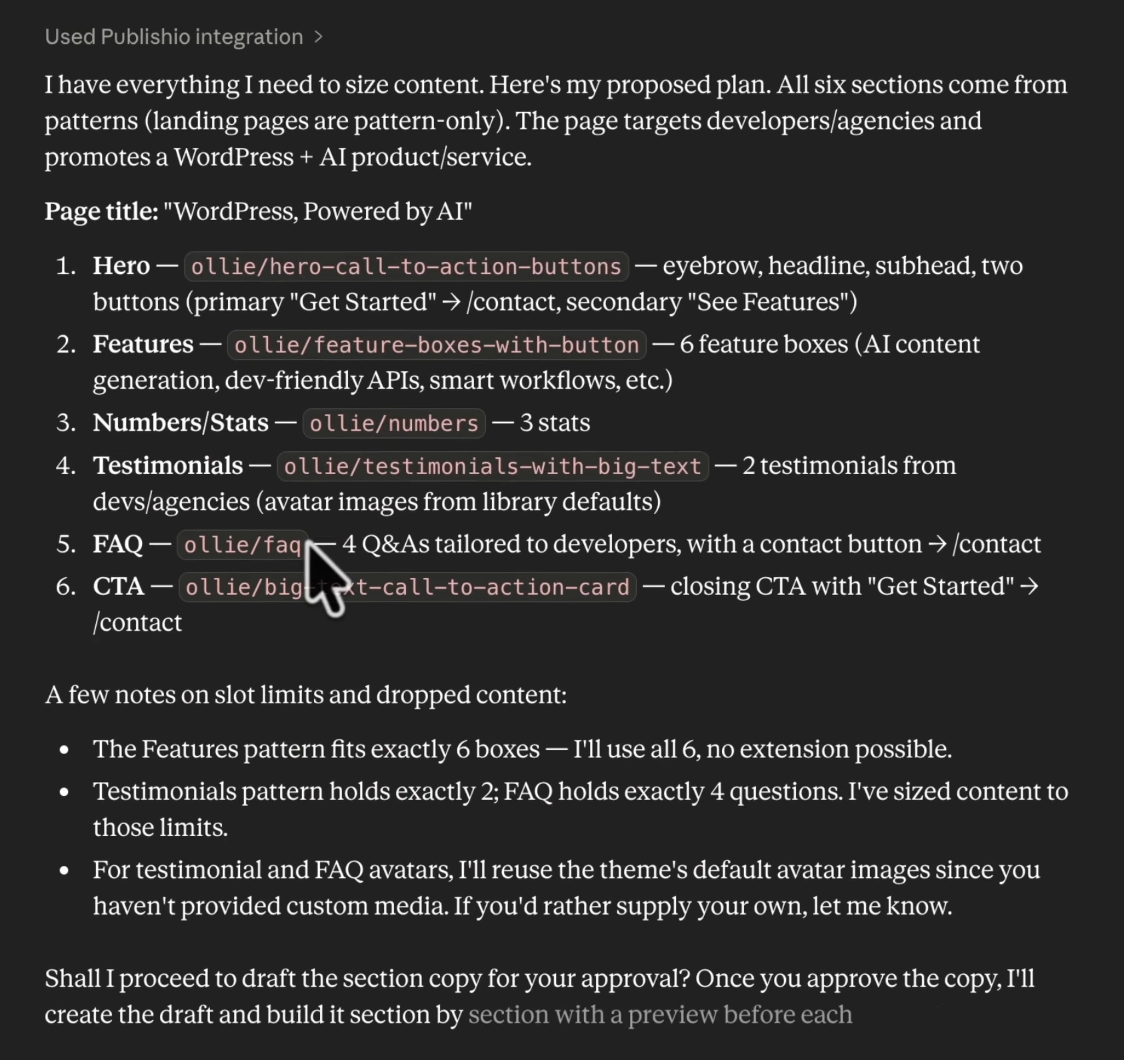
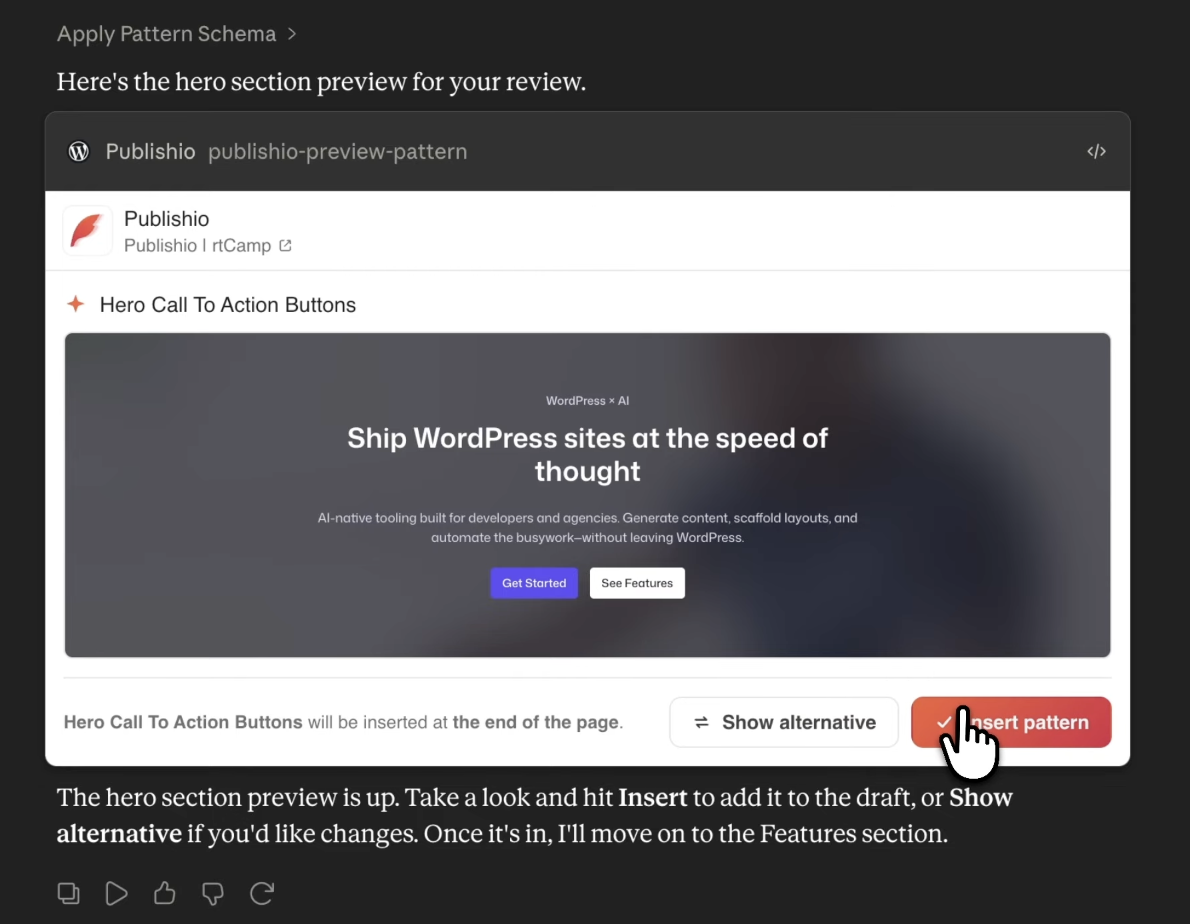
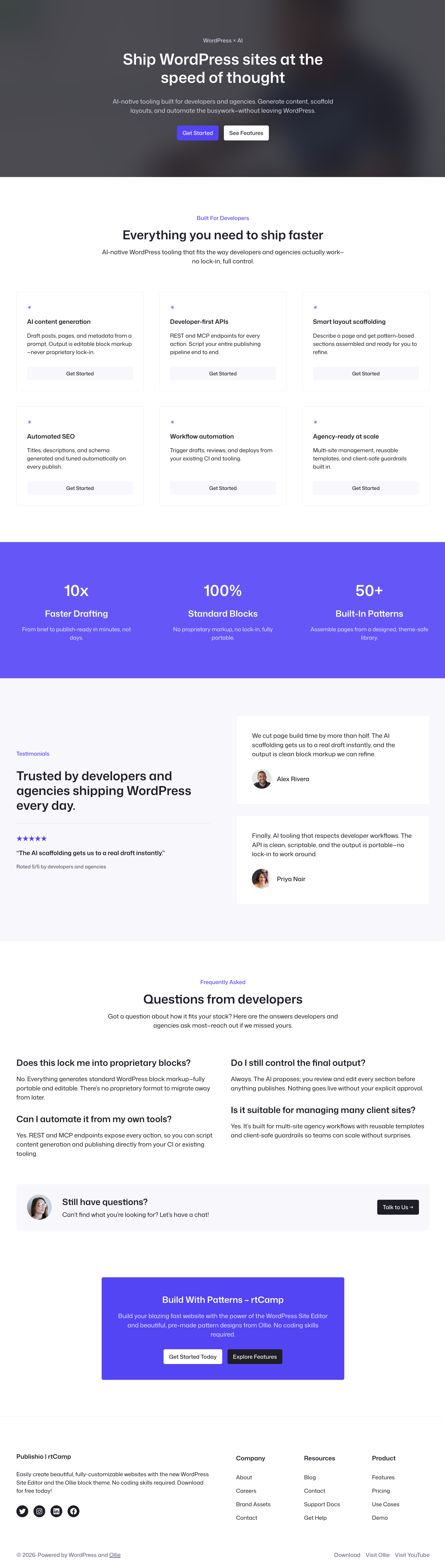
Installation
- Install and activate the plugin in your WordPress dashboard.
- Ensure you meet the requirements (WordPress 6.9+, PHP 8.2+).
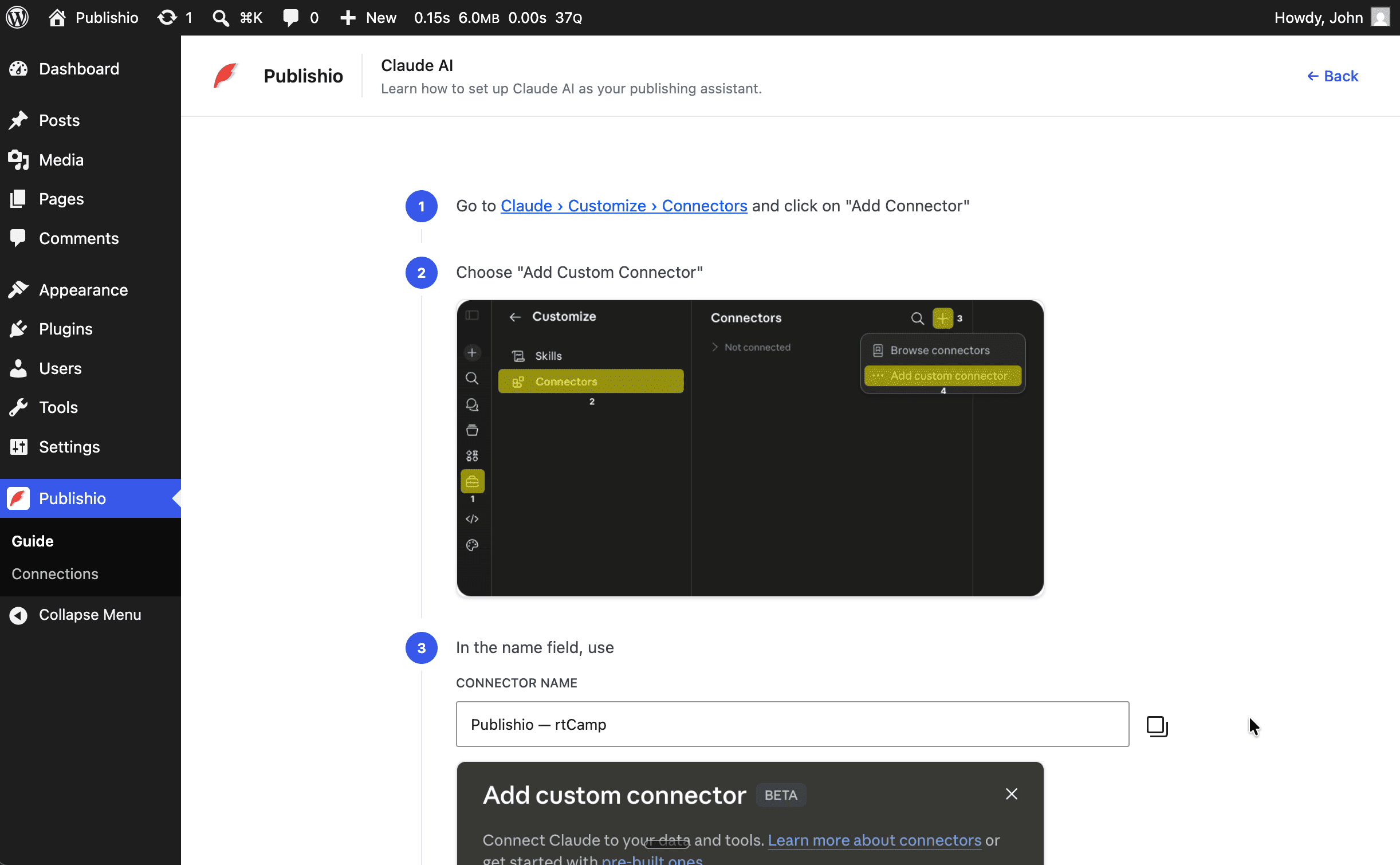
- Open the Publishio page in your dashboard. It shows your site’s MCP server URL and a step-by-step guide for connecting Claude; ChatGPT and other MCP clients connect to the same URL (see the FAQ).
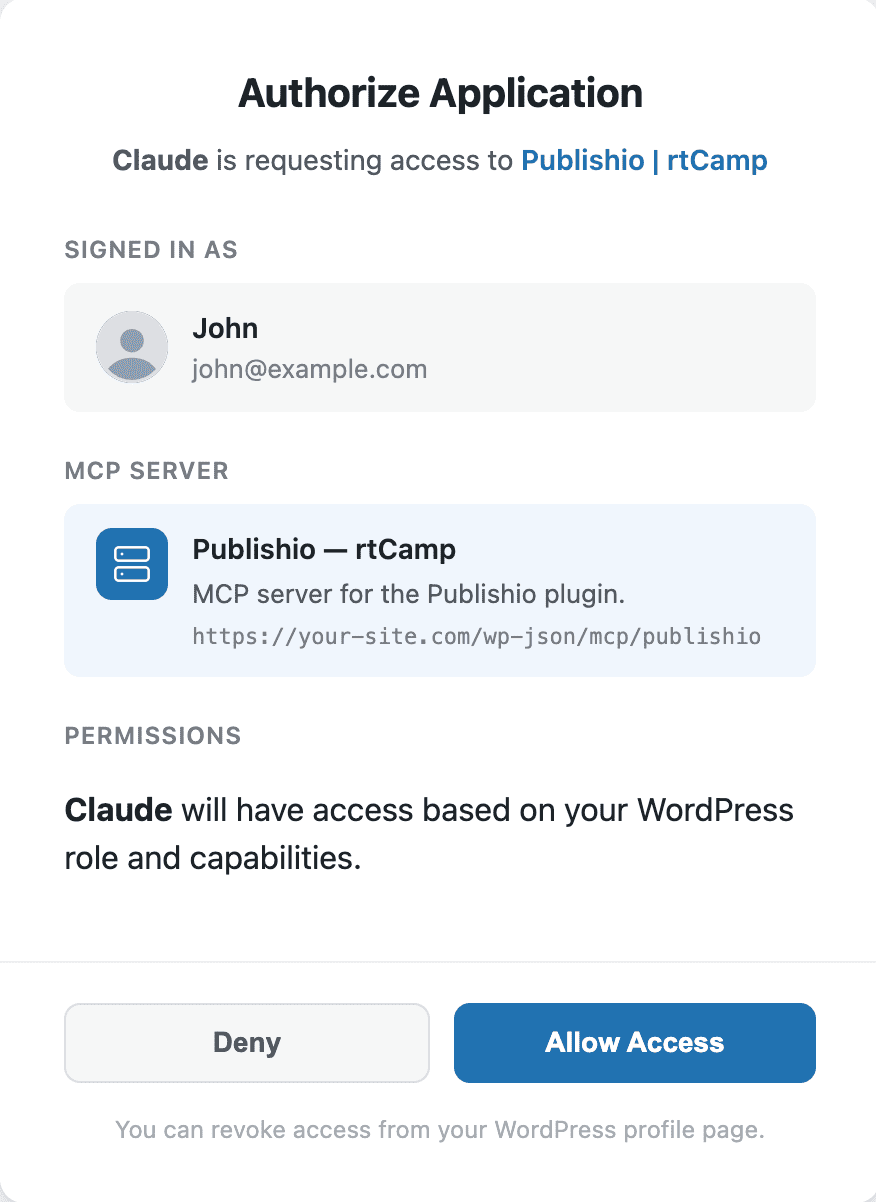
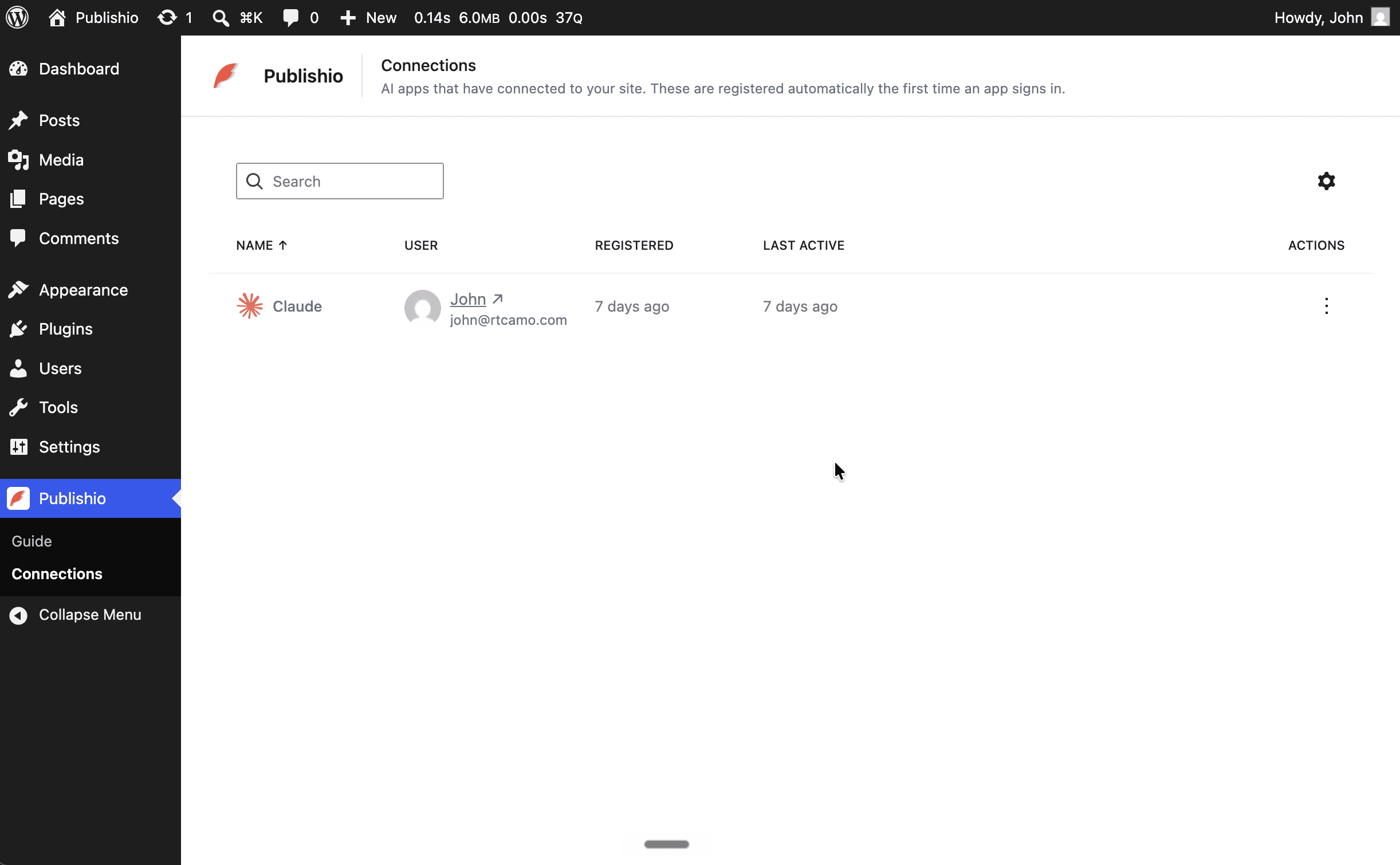
- Add the connection in your AI, authorize it, and start prompting it to build pages and posts from your patterns.
FAQ
-
Will it change my design?
-
No. Publishio builds pages from your site’s own block patterns and your active theme’s styles, so new content inherits your existing layout, spacing, colours, and typography. It doesn’t restyle your site, edit your theme, or invent CSS — the AI assembles content from the building blocks your designers already approved. You review every section in an in-chat preview before anything is published, so nothing reaches your site without your approval.
-
How do I connect ChatGPT to WordPress?
-
Publishio exposes a standard MCP server on your own site at
https://your-site.com/wp-json/mcp/publishio(your exact URL is shown on the Publishio dashboard page). In ChatGPT, add that URL as a custom MCP connector and authorize it — Publishio handles authentication with OAuth. The Publishio dashboard includes a step-by-step ChatGPT setup guide alongside the Claude guide. -
How do I connect Claude to WordPress?
-
Open the Publishio page in your WordPress dashboard. It includes a complete, step-by-step guide for adding your site’s MCP server to Claude and authorizing the connection.
-
Does my content and data stay on my site?
-
Yes — Publishio adds no third-party service. It runs entirely on your own WordPress site as a self-hosted MCP server, and your site connects directly to the AI you choose; nothing is routed through rtCamp or any Publishio-operated cloud. The pages and posts you create live in your own database, exactly like any other WordPress content. The only data that leaves your site is what you send to your chosen AI assistant (ChatGPT or Claude) during a chat — the same as using that assistant anywhere else — governed by that provider’s terms.
-
Does it support custom post types?
-
Yes. Publishio works with any registered post type — pages, posts, and custom post types (e.g. portfolio, product, event). Just tell the AI which post type to create.
-
Does it work with AI platforms other than ChatGPT and Claude?
-
Yes. Publishio is a standard MCP server, and MCP is an open protocol. Any AI platform or client that supports MCP — including local models, coding assistants, and custom integrations — can connect to your site and build content.
-
Do I need a specific theme?
-
No, it works with any block-based / FSE theme. Themes with well-described patterns (like Twenty Twenty-Five) yield the best results, because the AI matches patterns from their names and descriptions.
-
Does the AI publish directly, or can I review content first?
-
You’re always in control. The plugin shows in-chat previews of each section before anything is inserted. You can review, request changes, or approve before content is published.
-
Does it work with classic (non-block) themes?
-
Publishio is designed for block-based and Full Site Editing (FSE) themes. Classic themes without block editor support are not recommended — the AI generates Block Editor content that requires block-aware themes to render correctly.
-
Will it work with page builders like Elementor or Divi?
-
No. Publishio generates native WordPress block markup for the Block Editor. Page builder shortcodes and proprietary formats are not supported.
Reviews
There are no reviews for this plugin.
Contributors & Developers
“Publishio – Build Pages & Posts with ChatGPT and Claude using MCP” is open source software. The following people have contributed to this plugin.
Contributors


Translate “Publishio – Build Pages & Posts with ChatGPT and Claude using MCP” into your language.
Interested in development?
Browse the code, check out the SVN repository, or subscribe to the development log by RSS.
Changelog
1.1.0
- Add an in-dashboard ChatGPT setup guide for connecting OpenAI to your site.
- Update bundled dependencies and fix reported npm vulnerabilities.
1.0.0
- Declare the plugin stable with the 1.0.0 release.
- Test the plugin with WordPress 7.1.
0.4.1
- Fix readme.txt
0.4.0
- Release plugin on WordPress.org.
0.3.1
- Update plugin name to “Publishio”.
0.3.0
- Add support for OAuth DCR flow for seamless AI platform integration.
- Add SEO capabilities by integrating with Yoast SEO metadata.
- Refactor codebase for improved maintainability and performance.
0.2.0
- Initial public release.
- Pattern auto-discovery via WP_Block_Patterns_Registry.
- In-chat previews before content is inserted.
- Claude connection with MCP and OAuth authentication.
- Yoast SEO metadata support.
- AI Skill file for guided content generation.